What is Image to Video AI and How Does it Work? A Comprehensive Guide for 2025
 Kavya Thompson
In the ever-evolving landscape of digital content, a new titan has emerged: image to video AI. You've likely seen its mesmerizing results while scrolling through your social media feeds—a classic oil painting where the subject subtly smiles, a static photo of a cityscape now bustling with moving cars, or a product shot that elegantly animates to showcase its features. This isn't a complex Hollywood VFX shot anymore; it's the accessible magic of generative AI.
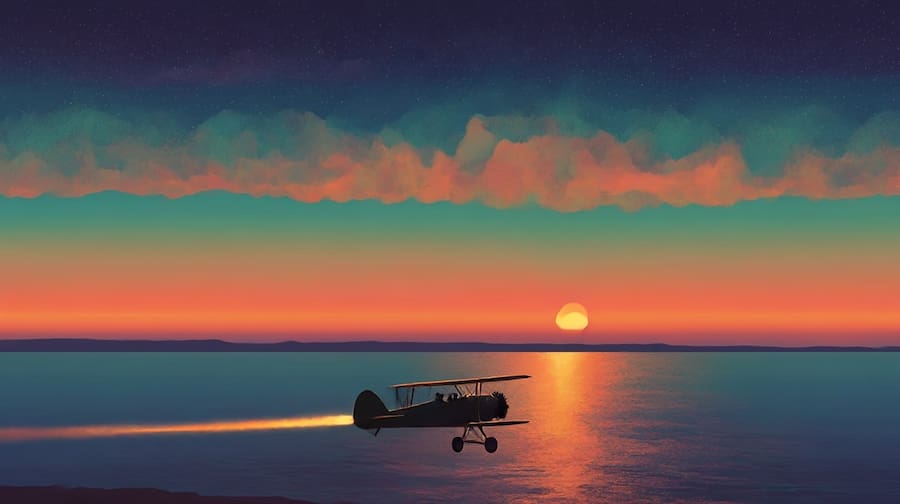
But what exactly is this technology? How does it manage to breathe life into a single, motionless picture, and more importantly, how can you leverage it?
This comprehensive guide is designed to answer those questions. We'll move beyond the surface-level "what" and delve into the "how" and "why," providing you with the expert insights and practical experience needed to understand and master image to video AI. Whether you're a marketer, an artist, or just creatively curious, this guide will serve as your authoritative resource.
Part 1: Defining Image to Video AI
At its core, image to video AI is a sophisticated application of generative artificial intelligence that synthesizes video footage from a single source image. Think of it not just as an animator, but as a digital visionary. It possesses the ability to analyze a static scene, comprehend the objects and environment within it, and then logically infer and generate motion over time.
The input is simple: your image and a creative direction (usually a text prompt). The output is a dynamic, short video clip. The true expertise of a powerful image to video AI model lies in its ability to make this generated motion look natural, consistent, and believable.
What Kinds of Motion Can AI Generate?
The capabilities of modern image to video AI platforms are vast. They go far beyond simple, repetitive loops. Here are a few examples of the nuanced motion you can create:
- Environmental Dynamics: This is the most common and effective use. The AI can introduce elements like wind causing trees to sway and hair to blow, water rippling, clouds drifting across the sky, or steam gracefully rising from a hot drink.
- Camera and Perspective Shifts: To add a cinematic feel, the AI can simulate camera movements. Imagine a slow zoom into a key subject in your photo, a smooth pan across a wide landscape, or a gentle tilt up to reveal the sky. This adds professional-grade production value without any actual camera work.
- Object Animation: This is where the technology shows its true intelligence. An image to video AI can isolate an object and set it in motion. A car can begin driving down a street, a bird can take flight from a branch, or characters in a drawing can begin to walk, all while the AI intelligently fills in the background behind them.
- Expressive Character Animation: A particularly exciting frontier is animating faces. The AI can make a person in a portrait subtly blink, smile, or even show emotive actions like an AI hug or an AI kiss, adding a startling layer of life and personality.
Part 2: The Core Mechanism: How Image to Video AI Actually Works
To truly trust a tool, it helps to understand its inner workings. While the underlying code is incredibly complex, we can explain the process by drawing from our experience with the technology. We've broken it down into three key phases: Analysis, Interpretation, and Synthesis.
Phase 1: Analysis (The "Seeing" Part)
When you upload an image, the AI performs a deep visual analysis that mimics human perception, only at a superhuman scale. It doesn't just see a collection of colored pixels. Instead, it performs what’s known as "semantic segmentation"—it identifies and labels every object in the scene.
- It Recognizes: "This is a dog," "this is a tree," "this is water."
- It Understands Context: "The dog is on a beach, next to the water."
- It Perceives Depth: It creates an internal "depth map" to understand that the dog is in the foreground, and the ocean is in the background.
This detailed breakdown is crucial. By knowing what each object is and where it is, the AI can apply realistic motion. It knows that water ripples but a rock does not. This foundational step demonstrates the tool's deep expertise in visual understanding.
Phase 2: Interpretation (The "Listening" Part) & The Art of the Prompt
This is where your human experience collaborates with the AI. Your text prompt provides the creative intent. The AI's job is to interpret this command in the context of the image it just analyzed. While our platform focuses on animating existing images, other technologies even allow for full text to video AI creation from scratch.
Crafting an effective prompt is a skill. Based on our tests, specificity and clarity are key.
- A Vague Prompt: "Make it move."
- An Expert Prompt: "Make the waterfall cascade down the rocks and cause mist to rise at the bottom, with a slow pan from left to right."
The second prompt gives the image to video AI clear, actionable instructions, leading to a much more controlled and impressive result. This collaborative process allows you to guide the AI's "imagination."
Phase 3: Synthesis (The "Creating" Part)
This is the generative heart of the process. The AI begins to create the video, frame by agonizing frame. Its primary challenge is maintaining temporal consistency—ensuring that objects remain coherent and recognizable over time. A high-quality AI will ensure:
- Object Permanence: The dog on the beach will continue to look like the same dog in every frame, without flickering or morphing.
- Realistic Physics: The generated motion will obey a basic understanding of physics. Water will flow downwards, and smoke will rise.
- Seamless Integration: The new, moving elements will blend perfectly with the parts of the image that remain static, with correct lighting and shadows.
The AI essentially "dreams" the frames between the start (your image) and the end of the clip, then stitches them together into the final video.
Part 3: Practical Applications: Who is This Technology For?
Demonstrating real-world experience, we've seen this technology provide immense value across various fields:
- Social Media Managers & Marketers: In a world dominated by video, static posts are losing engagement. Image to video AI is a game-changer, allowing marketers to convert their entire backlog of photos into eye-catching Reels, Shorts, and animated ads. It’s faster and more cost-effective than a traditional video shoot.
- Digital Artists & Illustrators: For artists, this is a revolutionary tool. You can now add subtle motion to your digital paintings, making characters breathe or adding environmental effects to your concept art. Imagine using an AI hug generator to add a gentle, emotive embrace to your character art. It provides a new medium to showcase your work and tell a deeper story.
- Small Business Owners: Don't have the budget for a professional video crew? Use our AI image to video generator to create simple yet effective animated product showcases, turning a standard photo from your online store into an engaging micro-commercial.
- Educators and Content Creators: Explain complex topics by animating diagrams and illustrations. Bring historical photos to life to create more engaging educational content for students and viewers.
Part 4: Best Practices for Quality Results
To build trust, we want to empower you to get the best possible results. Here are some tips based on our hands-on experience:
- Start with a High-Quality Image: The AI can only work with the data it's given. A clear, well-lit, high-resolution image will always produce a better video than a blurry, pixelated one.
- Choose Images with Motion Potential: A photo of a waterfall, a windy beach, or a cloudy sky has clear, natural opportunities for motion. Animating a plain wall will be less impressive.
- Be Specific with Your Prompts: As mentioned earlier, give the AI clear directions. Experiment with different prompts to see how the AI interprets them.
- Focus on Subtle Motion: Often, the most realistic and impressive results come from subtle movements. Over-the-top animations can sometimes look artificial.
- Iterate and Refine: Your first attempt may not be perfect. Don't be afraid to tweak your prompt or even slightly edit your source image and try again.
Conclusion: Your Creative Co-Pilot
Image to video AI is more than just a technological curiosity; it's a fundamental shift in digital content creation. It democratizes the world of animation, handing powerful capabilities to creators of all skill levels. By understanding how it sees, listens, and creates, you can move from being a passive observer to an active director of this technology.
The future of digital expression is dynamic, and the barrier to entry has never been lower. The next time you look at a favorite photo, don't just see a memory frozen in time. See a canvas of potential, waiting for a spark of motion. Ready to start? Try our AI image to video generator.
Frequently Asked Questions
Q1: Is image to video AI difficult to use? A: Not at all. Most modern platforms, including ours, are designed with user-friendly interfaces. If you can upload a photo and type a sentence, you have all the skills you need to start creating.
Q2: What is the ideal length for a video created by AI from an image? A: Most image to video AI tools are optimized for creating short clips, typically between 6 to 10 seconds. This is perfect for social media content like Reels or for adding a dynamic element to a webpage.
Q3: Can the AI create sound for the video as well? A: Currently, most image to video AI models focus exclusively on generating the visual elements. You would typically add sound, music, or voiceovers separately using a standard video editing tool.
Q4: Will using AI to animate my photos look fake? A: The quality and realism can vary between different AI models. However, the leading tools have become incredibly sophisticated at producing natural and believable motion, especially for environmental effects. Following the best practices outlined above will significantly improve your results.